Validate Lab Network
netlab validate executes tests defined in the validate lab topology attribute on a running lab. It can be used in training labs to check whether the user has successfully completed the lab assignment.
Usage
usage: netlab validate [-h] [-v] [-q] [--list] [--node NODES] [--skip-wait] [-e]
                       [--source TEST_SOURCE] [--dump {result} [{result} ...]]
                       [-i INSTANCE]
                       [tests ...]

Run lab validation tests specified in the lab topology

positional arguments:
  tests                 Validation test(s) to execute (default: all)

options:
  -h, --help            show this help message and exit
  -v, --verbose         Verbose logging (add multiple flags for increased verbosity)
  -q, --quiet           Report only major errors
  --list                List validation tests
  --node NODES          Execute validation tests only on selected node(s)
  --skip-wait           Skip the waiting period
  -e, --error-only      Display only validation errors (on stderr)
  --source TEST_SOURCE  Read tests from the specified YAML file
  --dump {result} [{result} ...]
                        Dump additional information during the validation process
  -i, --instance INSTANCE
                        Specify the lab instance to validate
The netlab validate command returns the overall test results in its exit code:
Exit code |
Meaning |
|---|---|
0 |
All tests passed |
1 |
At least one test failed |
2 |
|
3 |
Some of the tests generated warnings |
Example
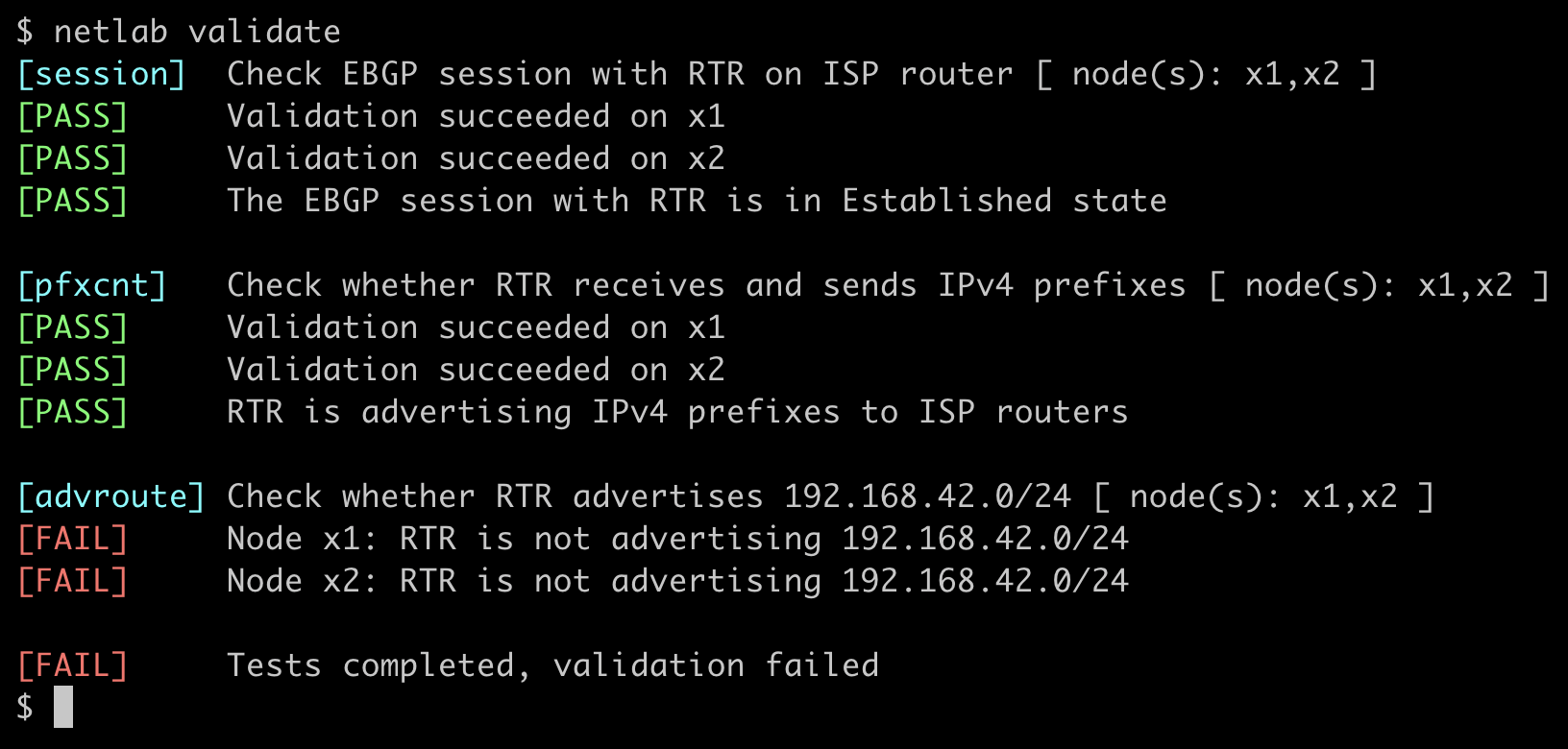
netlab validate command was executed on the Advertise IPv4 Prefixes to BGP Neighbors lab before the user configured BGP prefix origination:
Tip
Use netlab validate –error-only to shorten the printout and display only the validation errors.
Developing Validation Tests
Validation test development is usually an interactive process that requires several changes to the validate lab topology attribute before you get them just right. Restarting the lab every time you change the validation tests just to have them transformed and stored in the snapshot file is tedious; these changes to netlab validate (introduced in release 25.12) streamline the process:
The netlab validate command compares the timestamp of the lab topology file with the timestamp of the snapshot file. When necessary, it rereads the validation tests from the changed lab topology file.
You can develop the validation tests in a separate YAML file and run them with the netlab validate –source CLI option. After the validation tests are complete, copy them into the lab topology.
Tip
Use the verbose flag (-v or -vv) to display commands executed on lab devices, the returned printouts, the parsed results, and the results of the validation plugins.